Introduction
Book version: 0.6.0 · Last updated: 2026-08-27 · tracks
egui_mobiusv0.6.0 (egui 0.36)The book is live — it evolves alongside the framework. Each chapter footer notes the date of its last substantive revision. When egui_mobius ships v0.7.0, this book becomes 0.7.0.
This book is the know-how for building solid, professional GUI
applications in Rust on top of egui and the egui_mobius
framework. The framework is a workspace of coordinated crates that
together make modern dockable, threaded, reactive UI cheap to
assemble.
Citizens are plug-ins
The single most important idea in this book is that citizens are
plug-ins. Once a panel implements the Citizen trait, it drops
into any host app with a four-line integration: cargo add the
crate, declare one Dynamic<T> field, add a TabKind variant,
render it from the TabViewer. No glue code. Real apps grow by
accumulating citizens, not by extending a core — and the
Registry is the registry those citizens
register with.
egui_lens and egui_quill are the shipped examples; the same
shape applies to future citizens, and to any third-party citizen on
crates.io. This is what makes the ecosystem composable rather
than just architecturally tidy.
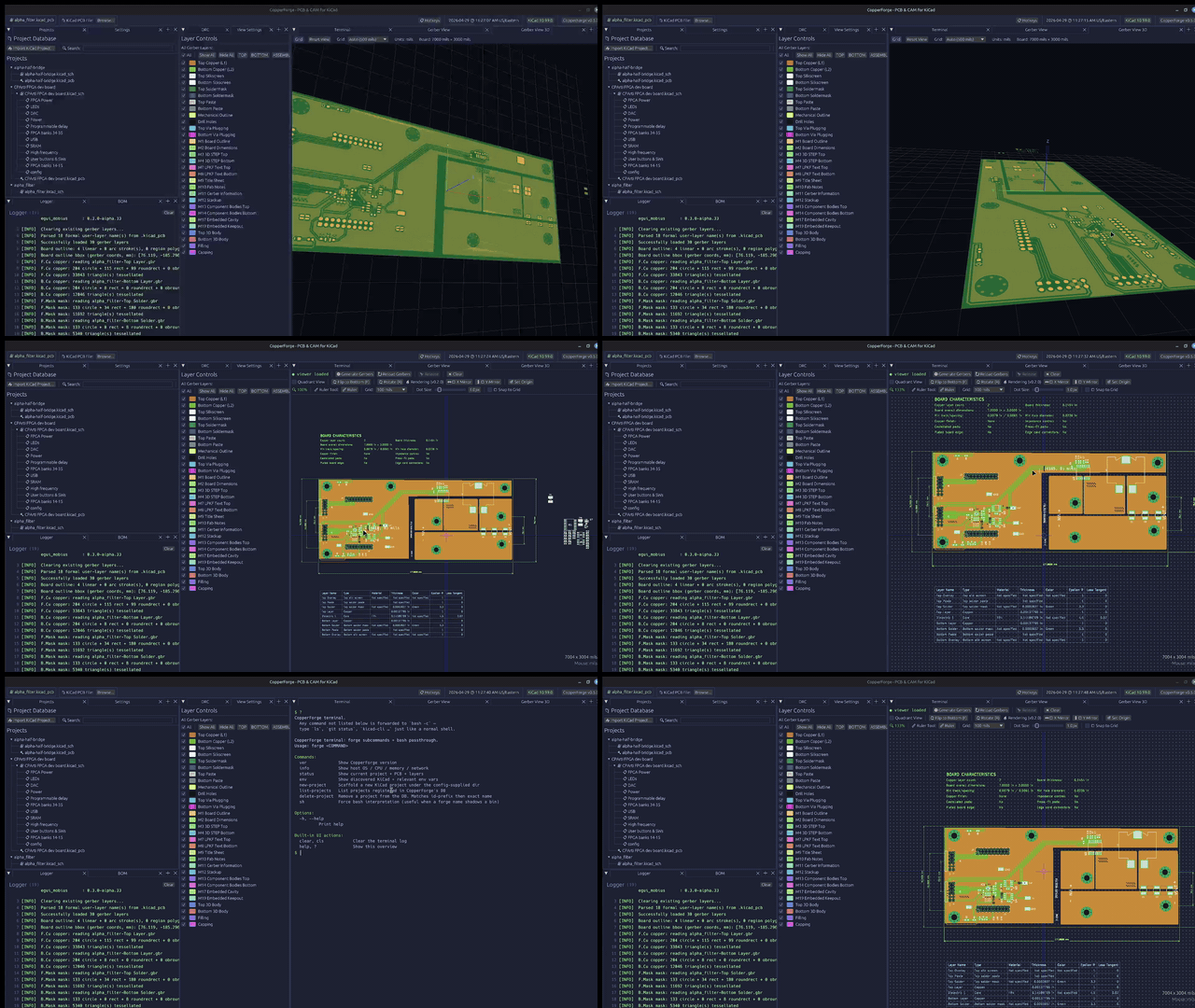
CopperForge — a
real-world egui_citizen + egui_dock application for PCB gerber
inspection. Each docked region is a citizen-panel; the panels share
state through reactive cells, and the 3D rendering runs on a backend
thread fed through the dispatcher. The registry handles panel
lifecycle only — it never touches the render thread.
Three levels of mobius-citizen apps
A mobius-citizen application sits at one of three levels, each adding capability without throwing away what came before:
- Level 1 — shared
Dynamic<T>between panels; the registry manages panel lifecycle. Examples:getting_started,citizen_dock. - Level 2 — panels push app-level messages onto an outbox; the
app's drain loop routes them to a synchronous backend — filter,
parser, anything in-process. The registry stays a lifecycle
registry; it is not the backend path. Examples:
filter_plotter,citizen_fetch. - Level 3 —
egui_mobiussignals and slots carry the drained messages to async / multi-threaded backends. Example:citizen_signal_async.
Levels 1–2 use egui_citizen and egui_mobius_reactive; level 3
brings in egui_mobius itself.
Who this book is for
Familiarity with
egui, with dockable widgets — Qt's Advanced Docking Widgets oregui_dockdirectly — and with shared-memory threading concepts. If those are comfortable, the rest is just learning the pattern.
How to read this book
Background covers Dynamic<T>, egui_dock, and the vocabulary.
Concepts cover the Citizen trait, the registry, messages, and
coupling. The Tutorial is a worked example end-to-end — you can
go straight there and refer back to Concepts as needed. The book
closes with patterns, common pitfalls, and a reference sheet.